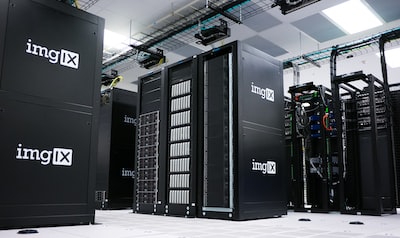
Your WordPress hosting is the single most important decision you’ll make for your website. It affects your speed, security, uptime, and scalability — and a bad hosting choice can hold back even the most well-built WordPress site. With hundreds of hosting providers competing for your business, how do you choose? This guide cuts through the noise and tells you exactly what to look for — and which hosts are actually worth your money in 2026.
Types of WordPress Hosting Explained
Before comparing hosts, you need to understand what type of hosting you actually need. Each type has different trade-offs between price, performance, and control.
Shared Hosting
Your site shares a server with hundreds (sometimes thousands) of other websites. Resources like CPU, RAM, and bandwidth are pooled. Best for: Brand new sites, personal blogs, or anyone on a tight budget (starting from ~$3–5/month). Drawback: Performance degrades when neighboring sites experience traffic spikes.
Managed WordPress Hosting
The host handles all the technical aspects of running WordPress — server optimization, automatic updates, backups, security, and caching. Best for: Businesses, agencies, and anyone who wants great performance without the management overhead. Price range: $25–$100+/month.
VPS Hosting
A virtual private server gives you dedicated resources within a shared physical server. More powerful and customizable than shared hosting. Best for: Developers and technically confident users who need more control. Price range: $20–$80/month.
Cloud Hosting
Your site runs on a network of servers rather than a single machine. Scales automatically with traffic and offers excellent uptime. Best for: High-traffic sites that experience traffic spikes. Examples: Cloudways, Kinsta, WP Engine.
What to Look For in a WordPress Host
Don’t be distracted by “unlimited” marketing claims. Here’s what actually matters:
1. Server Performance and Speed
Look for hosts that use NVMe SSD storage (faster than standard SSDs), PHP 8.2+, HTTP/3, and server-level caching (Redis, Memcached, or OPcache). These technical specs directly translate to faster page load times and better Core Web Vitals scores.
2. Uptime Guarantee
Look for a 99.9% uptime SLA at minimum — that’s less than 9 hours of downtime per year. Top hosts like Kinsta and WP Engine guarantee 99.9%+ and have public status pages you can verify. Avoid hosts that don’t publish their uptime statistics.
3. WordPress-Specific Features
- One-click WordPress install (or pre-installed WordPress)
- Staging environments — Test changes before pushing to live
- Automatic WordPress core updates
- Git integration (for developers)
- WP-CLI access for command-line management
4. Security Features
- Free SSL certificate (Let’s Encrypt)
- Server-level firewall and DDoS protection
- Automatic malware scanning and removal
- Isolated hosting environments
- Two-factor authentication on the hosting dashboard
5. Backups
Automated daily backups stored off-site for at least 14 days are non-negotiable. The best hosts (Kinsta, WP Engine) offer hourly backups and one-click restore. Avoid hosts where backups cost extra.
6. Support Quality
Look for 24/7 WordPress-specific support via live chat. Test support before committing — ask a technical WordPress question before signing up. Support quality varies enormously between hosts and is often the biggest differentiator for non-technical users.
Best WordPress Hosting Providers in 2026
1. Kinsta — Best Overall Managed WordPress Hosting
Kinsta runs on Google Cloud Platform’s premium tier network and is consistently one of the fastest WordPress hosts in independent benchmarks. Every plan includes automatic daily backups, a global CDN, free SSL, staging environments, and 24/7 expert support. Starting from $35/month for the Starter plan (1 WordPress site).
- ✅ Google Cloud C3D machines with NVMe storage
- ✅ Global CDN with 260+ PoPs
- ✅ Free daily backups (up to 2 weeks)
- ✅ Excellent 24/7 support
- ❌ More expensive than budget hosts
2. WP Engine — Best for Agencies and Teams
WP Engine is a pioneer in managed WordPress hosting with a strong focus on developer tools, staging environments, and enterprise features. Their Genesis Framework and 35+ StudioPress themes are included free. Starting from $30/month (1 site, 10GB storage).
- ✅ Excellent developer tooling
- ✅ Free access to premium Genesis themes
- ✅ Smart plugin manager
- ❌ No email hosting included
3. Cloudways — Best for Flexible Cloud Hosting
Cloudways lets you deploy WordPress on your choice of cloud providers — AWS, Google Cloud, DigitalOcean, Linode, or Vultr — through a managed interface. This gives you more infrastructure flexibility than traditional managed hosts. Starting from $14/month (DigitalOcean 1GB).
- ✅ Choice of cloud infrastructure provider
- ✅ Pay-per-use pricing
- ✅ Excellent PHP performance
- ❌ Less beginner-friendly than Kinsta or WP Engine
4. SiteGround — Best Budget Managed Hosting
SiteGround offers managed WordPress hosting at a more accessible price point. Their custom-built caching system, free CDN, and daily backups make it a great step up from basic shared hosting. Starting from $6.99/month (introductory price, renews higher).
5. Hostinger — Best Ultra-Budget Option
For very new sites on a very tight budget, Hostinger offers WordPress hosting at extremely competitive prices. Performance has improved significantly with their LiteSpeed servers. Starting from $1.99/month (introductory, 1 site).
WordPress Hosting Comparison Table
| Host | Type | Starting Price | Best For | Free SSL | Daily Backups |
|---|---|---|---|---|---|
| Kinsta | Managed WP | $35/mo | Performance-focused sites | ✅ | ✅ |
| WP Engine | Managed WP | $30/mo | Agencies & teams | ✅ | ✅ |
| Cloudways | Cloud | $14/mo | Flexible cloud infra | ✅ | ✅ |
| SiteGround | Managed WP | $6.99/mo | Budget managed hosting | ✅ | ✅ |
| Hostinger | Shared | $1.99/mo | Ultra-budget / new sites | ✅ | ✅ |
Red Flags to Avoid When Choosing a WordPress Host
- “Unlimited” everything — No server has unlimited resources. Read the fair usage policy carefully.
- No staging environment — You’ll end up testing changes on your live site.
- No phone/chat support — Ticket-only support can leave you stranded during a crisis.
- Hidden renewal prices — Many hosts advertise low introductory rates that jump 3–5x on renewal.
- No backup policy — Some budget hosts charge extra for backups or don’t offer them at all.
Frequently Asked Questions
Can I switch WordPress hosts without losing data?
Yes — WordPress migrations are very common and can be done with zero data loss. Most managed hosts provide free migration services. You can also use a migration plugin like Migrate Guru or All-in-One WP Migration. Alternatively, our WordPress Migration service handles the entire process for you.
Is shared hosting good enough for WordPress?
For brand new sites with low traffic (under 1,000 visitors/month), shared hosting is fine. Once your site starts getting meaningful traffic or you care about performance and SEO, upgrading to managed WordPress hosting is one of the highest-ROI investments you can make.
What’s the difference between WordPress.com and WordPress.org hosting?
WordPress.com is a hosted platform that limits your ability to install custom plugins and themes. WordPress.org is the free, open-source software that you install on your own hosting. All the hosts in this guide are for WordPress.org (self-hosted) installations.
Final Thoughts
Your hosting decision will impact every other aspect of your WordPress site — speed, security, reliability, and your own sanity when things go wrong. Don’t make the mistake of choosing a host based on price alone. For most businesses, managed WordPress hosting pays for itself through better performance, fewer headaches, and time saved on server management.
Already on bad hosting and want to move without the stress? Our WordPress Migration & Hosting Setup service handles everything — from backup to DNS switch — with zero downtime guaranteed.